In this article
Accidents need to be recorded in a clear and consistent way so the facts are accurate, follow-up actions are based on evidence, and any legal or insurance requirements can be met.
This guide is for managers, supervisors, HR teams and health and safety leads who need a practical way to record accidents and near misses. It sets out what to capture at the time, what can be added later, and how to keep records consistent across sites and teams.
Accident report form checklist UK
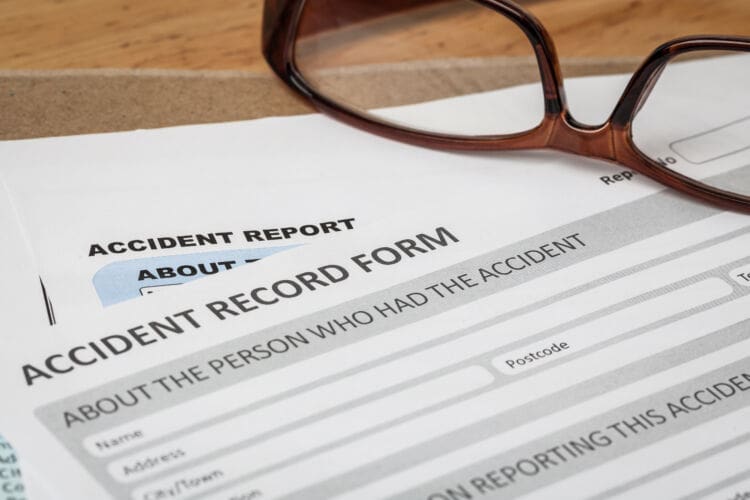
A checklist-based accident report form is about capturing the right details at the right time in a consistent format, so nothing crucial gets missed when people are under pressure.
A practical way to make this work across multiple sites is to split your form into three layers:
Layer 1: Capture now (time-critical facts) – these details can disappear within hours because the scene changes, memories fade and CCTV footage is overwritten. Examples of things you might capture now include the exact location, witness names, environmental conditions and what immediate actions were taken.
Layer 2: Add soon (follow-up details) – these can be added later by a manager, HR or investigator once the immediate response is handled. Examples include medical outcome, lost time, job role verification, training records and investigation findings.
Layer 3: Attach evidence (supporting documentation) – this includes photos, sketches, maintenance records, permits, risk assessments and any insurer or client notification references.
If you manage multiple work types, create a single core form with add-on sections. That’s often better than having different forms for each site. Once you have the core form, you can then add specific modules for work-related driving, contractor incidents, public incidents or COSHH exposure events.
A simple top-level checklist many organisations use at the front of the form is:
- Make the area safe and support the injured person.
- Record the basics: who, what, where, when.
- Capture injury details and first aid given.
- Record witnesses and evidence sources.
- Record immediate actions taken and whether work stopped.
- Flag RIDDOR screening and escalation.
- Assign ownership for follow-up and investigation.

What counts as a workplace accident?
Before you can record accidents consistently, you need a clear internal definition that people understand. Otherwise, teams either report everything (and overwhelm the system) or report very little (and lose learning opportunities).
An accident is an unplanned event that results in injury, ill health, damage or significant disruption. It includes sudden injuries, such as slips and trips, as well as exposure events, such as chemical splashes or inhalation. It may also include violence, which is an area some workplaces overlook.
For internal reporting purposes, many organisations record a wider range of events than those legally reportable. This is sensible because each incident creates opportunities for learning and improvement, which can prevent potentially worse harm from happening in the future.
A practical internal reporting scope typically includes:
- Injuries requiring first aid or medical treatment
- Near misses where injury could have occurred
- Dangerous occurrences and high-potential events
- Occupational ill health symptoms and exposure incidents
- Property damage and equipment failures with safety implications
- Work-related driving collisions and near misses
- Incidents involving contractors, visitors or the public
In the UK, reporting requirements sit within RIDDOR for specific categories of incidents. If you want a clear external reference on what is reportable and when, use HSE guidance on reportable incidents under RIDDOR and HSE guidance on when to report.
A helpful approach is to build a definition into the form itself. For example, include a short prompt at the top:
“Record all work-related accidents, near misses, dangerous occurrences, injuries to non-workers and any incident that required first aid, medical treatment or caused work stoppage.”
This removes uncertainty and increases consistency across teams.
Mandatory accident report form fields
It can be tempting to assume that the longer the form, the less likely you are to miss anything. However, long forms are less likely to be completed, especially in operational environments. A better approach is to make a small set of fields mandatory and keep the rest optional or “follow-up required”.
A field should be mandatory if leaving it blank makes investigation or legal screening difficult.
Core mandatory fields usually include:
- Reporter name and role (or anonymous option where policy allows)
- Date of report submission
- Date and time of incident
- Exact location (site and specific point)
- Person affected category (employee, contractor, visitor, public)
- Brief incident description (what happened)
- Injury outcome (injury, near miss, no injury, property damage)
- First aid given and who gave it
- Witness details or confirmation that there were none
- Immediate actions taken to control risk
- Supervisor or manager review sign-off
- Escalation flag (investigation required, RIDDOR screening required)
If you operate across several sites, add:
- Site name and site code
- Department or work area
- Shift or working hours at the time
To support legal reporting and claims handling, consider making the following fields mandatory where relevant:
- Whether the person was taken to hospital, and from where
- Whether emergency services attended
- Whether work stopped and for how long
- Whether the incident involved a vehicle or workplace transport
For RIDDOR screening, the form should guide the reviewer to check whether the incident meets the relevant reporting categories. You do not need to include the full legislation, but you can link to HSE guidance in your internal materials or digital form.
Injured person – details to record
This section needs a balance. You want enough detail to identify the person, follow up on their welfare and support investigation. At the same time, you should avoid collecting unnecessary personal data, especially when it concerns visitors and members of the public.
For employees, typical fields include:
- Full name
- Job title and department
- Employee ID (if used)
- Normal work location
- Line manager or supervisor
- Contact number (work or personal, depending on policy)
For contractors and agency workers, add:
- Employer company name
- Site contact or supervisor name
- Contract type (agency, subcontractor, self-employed)
- Confirmation of site induction completed (yes/no/unknown)
- Permit to work reference, if relevant
For members of the public or visitors, collect only what is necessary:
- Full name (if provided)
- Contact details (if needed for follow-up)
- Relationship to site (customer, visitor, delivery driver)
- Whether they were accompanied by staff
- Brief description of their activity at the time
Accident forms often include health information, so you should treat the record as sensitive and store it securely. For a useful external reference on handling and retaining personal data appropriately, see ICO guidance on data retention.
Practical tip: Include a checkbox for “Data recorded with consent/data recorded for legitimate interest in incident management.” This creates a clear record of the legal basis for collecting the information, especially in incidents involving members of the public.
Incident date, time and exact location
These details sound simple, yet they cause many disputes because they are often recorded vaguely. A checklist prompt makes a big difference.
Date and time
Record:
- Date (day, month, year)
- Time (use 24-hour format)
- Shift (day, night, early, late)
- Whether the person was on duty, overtime or on-call
Accuracy matters because it affects:
- CCTV retrieval
- Weather and lighting conditions
- Supervisor coverage
- Fatigue and time-on-task factors
- Vehicle route logs and delivery schedules
Exact location
Just writing“warehouse” is not enough. “Warehouse, aisle 4, bay 12, south racking, near goods-in door” is far more useful. Be as precise as you can.
Prompt for:
- Site name and address
- Building name or number
- Floor level
- Room, bay, zone or line number
- Nearest fixed reference point (door, stairwell, machine ID)
- Whether the location is public-facing or restricted
If you use a digital form, use a dropdown list for common areas plus a free-text field for specifics.
Practical tip: If you manage large or complex sites, include a simple site map reference field so the investigator can mark the exact spot later

Injury type and body part checklist
A structured injury checklist improves consistency and thoroughness and makes it quicker to complete the form. You don’t want to see vague entries like “hurt arm” that are hard to interpret later. Good organisation also supports trend analysis later on.
A useful layout is:
Injury type (tick all that apply)
- Cut or laceration
- Bruise or contusion
- Sprain or strain
- Suspected fracture
- Dislocation
- Burn or scald
- Crush injury
- Eye injury or foreign body
- Head injury
- Needle-stick or sharps injury
- Chemical exposure (skin)
- Chemical exposure (inhalation)
- Allergic reaction
- Psychological shock or distress following an incident
- No injury (near miss)
Body part (tick one primary, optional secondary)
- Head or face
- Eye
- Neck
- Shoulder
- Arm or elbow
- Wrist or hand
- Finger or thumb
- Chest
- Back
- Abdomen
- Hip or pelvis
- Leg or knee
- Ankle or foot
- Toe
Include “left/right” prompts where relevant and a field for “multiple injuries”.
Practical tip: Add a simple body map in paper forms or a body-selector in digital forms. It reduces errors and makes trend analysis much easier.
To support RIDDOR screening, include a prompt such as “Possible specified injury – escalate for review.” This helps flag incidents that may need formal reporting.
Treatment given and first aider details
This section is crucial for welfare and defensibility. It shows what help was provided, when it was provided, and by whom. It also supports later analysis of response time and first aid coverage.
Time-critical fields to capture:
- Was first aid provided? (yes/no)
- First aid provided by (name and role)
- Time first aid started
- Treatment given (tick boxes plus short notes)
- Was emergency medical help called? (yes/no, time called)
- Was the person taken to hospital? (yes/no)
- Was the person taken directly from the scene? (yes/no/unknown)
For treatment, useful tick options include:
- Wound cleaned and dressed
- Ice pack/cold compress
- Splint or immobilisation
- Eye wash used
- Burn cooled
- CPR/defibrillator used
- Advised to seek medical attention
- Referred to occupational health
Include a field for:
- Outcome after treatment (returned to work, sent home, sent to clinic or hospital)
Public incidents require extra care because hospital attendance can affect RIDDOR reporting rules when a person not at work is taken to hospital for treatment. Managers can use HSE guidance on reportable incidents to support correct screening.
Practical tip: Include a field for “first aid kit used” and “location of kit”. This helps you restock and check readiness.
Witness details and statements checklist
Witness information is often missed, yet it can be one of the most useful parts of an accident record. A simple structure helps avoid gaps and confusion later.
At the time, record:
- Witness’s full name
- Employer and role (especially for contractors)
- Contact number
- Where they were positioned
- What they were doing at the time
- A brief initial account
Do not try to take a full statement on the main accident report form. This can slow things down and add pressure. Instead, include a short “initial account” box and a follow-up section:
- Full statement required (yes/no)
- Interview scheduled (date/time and owner)
Also include an option for:
- No witnesses present
This avoids empty fields that look like missing information.
If CCTV is available, you should still record witness details. Video footage rarely captures context such as workload, supervision or what happened just before the incident.
Photos, CCTV and evidence checklist
Good evidence makes it easier to understand what actually happened. Without it, reports rely on memory, which can be incomplete or inconsistent.
At the time, record:
- Photos taken (yes/no)
- Photo taken by (name)
- Photo location stored (file path, incident ID, system reference)
- CCTV available (yes/no)
- CCTV requested (yes/no)
- CCTV time window (start and end time)
- CCTV camera location (if known)
- Sketch or layout diagram completed (yes/no)
- Measurements taken (distance, height, clearance)
When taking photos, capture:
- The wider scene showing access routes and context
- The specific hazard or defect
- Signage and barriers (or absence of them)
- Floor condition and lighting
- Equipment controls or settings where relevant
- PPE condition where relevant
Practical tip: Include a checklist item for “scene changed after incident” and record what changed. For example, the spill was cleaned, the barrier was moved, or the machine was restarted. This protects the integrity of your record.
Equipment, substances and PPE involved
This section strengthens investigations and claims handling because it records the “interaction” that caused harm. It also supports trend analysis, such as repeated failures of a particular tool or recurring issues with a specific chemical.
Prompt for the following:
Equipment and tools
- Equipment type
- Asset ID or serial number
- Vehicle registration or fleet number
- Last inspection date (if known)
- Any visible defects (free text)
- Whether equipment was removed from service (yes/no)
Substances
- Substance name and concentration (if known)
- How it was used (sprayed, decanted, mixed)
- Exposure route (skin, inhalation, eye)
- Safety data sheet available (yes/no)
For COSHH-related incidents, it helps to direct teams to a reliable reference such as HSE COSHH guidance.
PPE
- PPE required for task (yes/no/unknown)
- PPE worn (tick list)
- PPE condition (good/damaged/unknown)
- Any fit issues reported
Avoid a common trap: treating PPE as the main control. PPE may limit harm, yet it rarely removes risk. This is why your form should also prompt for higher-level controls like guarding, segregation, ventilation, and safe systems of work.
Immediate actions taken after the accident
This section records what was done to make the situation safe after the incident. It shows how risk was controlled at the time and helps prevent the same issue from happening again during the same shift.
Include tick options such as:
- Work stopped in the affected area
- Area isolated or access restricted
- Spill cleaned or contained
- Temporary barriers installed
- Equipment isolated or locked off
- Equipment removed from use
- Supervisor informed
- Maintenance requested
- Additional supervision provided
- Toolbox talk delivered
- Client or principal contractor notified
- First aid kit restocked (if used)
Then include short fields for:
- Residual risk status (safe to continue/safe with restrictions / stop work)
- Restrictions applied
- Who authorised restart (if applicable)
Practical tip: Include fields for both “what was done straight away” and “what still needs to be fixed”. Many issues are made safe in the moment, but the underlying problem still needs follow-up.
Contributing factors to include on forms
A good accident report form captures early clues about why the incident happened, without turning the report into any kind of conclusion. Contributing factors help investigators dig into root causes later.
Useful contributing factor prompts include:
- Housekeeping and storage
- Lighting, noise, temperature, weather
- Workspace constraints or congestion
- Workload or time pressure
- Supervision levels
- Communication issues (including language barriers)
- Training or competence concerns
- Fatigue and shift patterns
- Equipment defect or maintenance backlog
- Procedure unclear or not available
- Changes to task, layout, or staffing
- Contractor coordination issues
- Vehicle and pedestrian interface
- Manual handling and posture
- Behaviour factors (rushing, shortcuts)
Keep language neutral. Avoid labels like “careless” or “reckless”. Instead, capture observable conditions, such as “walkway blocked by stored materials” or “no clear segregation at bay door”.
Practical tip: Offer “other” plus a short free-text field. Checklists are useful, but they can’t cover every scenario.
How to describe the incident clearly
The narrative box is often where forms fall apart. People either write too little (“slipped and fell”) or write a conclusion (“operator ignored procedure”). A checklist prompt makes the narrative more factual and more useful.
Encourage people to use a simple structure:
- What task was being done?
- What happened, step-by-step?
- What was the immediate outcome?
- What prevented it from being worse?
- What changed immediately afterwards?
Examples of clearer wording:
- Instead of “Forklift nearly hit someone”, write “Forklift reversed from bay 3 into shared aisle. Pedestrian stepped back to avoid contact. Estimated distance 1 metre. No segregation in place at the time”.
- Instead of “Staff member careless”, write “Staff member carried box from storeroom, view partially obstructed. Tripped on trailing cable at doorway threshold”.
Practical tips for better narratives:
- Use short sentences.
- Include distances and directions where relevant.
- Avoid assumptions about intention.
- Avoid blaming language.
- Record facts first, analysis later.
You can align your internal investigation method with HSE guidance on incident investigation.
Accident reporting timescales for employers
Acting quickly after an incident helps preserve evidence, capture accurate witness accounts, and put controls in place while the situation is still fresh. Some incidents also have legal reporting deadlines, so delays can create compliance issues.
Most organisations set internal targets such as:
- Initial report completed before the end of the shift
- Supervisor review within 24 hours
- Investigation started within 48 hours for anything above minor
- Corrective actions assigned within 7 days
- High-potential incidents investigated within 5 working days
Legal reporting under RIDDOR is separate. Managers should screen incidents quickly and escalate any that might be reportable.
Insurance reporting also matters. Many policies require prompt notification, so include a field:
- Insurer notified (yes/no/date/reference)
Practical tip: Include a “RIDDOR screening completed by” field with date and outcome. That creates a clear audit trail and reduces uncertainty later.

Accident report form for contractors
Contractor incidents often create confusion because multiple duty-holders may be involved. A strong checklist reduces the risk of missing key interface details.
In addition to core fields, include contractor-specific prompts:
- Contractor company name and contact details
- Contractor supervisor name
- Host manager or contract owner name
- Work area control at the time (who controlled the area)
- Site induction completed (yes/no/unknown)
- Permit to work in place (yes/no/reference)
- RAMS available and briefed (yes/no)
- Contractor equipment involved (yes/no/details)
- Shared equipment involved (yes/no/details)
- Principal contractor or client notified (yes/no/date)
For legal reporting clarity, include:
- Who is responsible for RIDDOR reporting? (host/contractor/principal contractor)
- RIDDOR report reference number (if submitted)
To reduce duplication and confusion, many sites agree that one duty-holder submits any external report and shares details with the others. A checklist field supports that agreement by making responsibility explicit.
Accident report form for public incidents
Public incidents can escalate quickly into complaints, reputational issues or claims. A checklist ensures you capture the right facts without collecting unnecessary personal data.
In addition to core fields, include:
- Person category (customer, visitor, delivery driver, passer-by)
- Contact details (only if needed for follow-up)
- Where the person was and what they were doing
- Whether the person entered a restricted area
- Whether the person was accompanied by staff
- Signage and barriers present (yes/no/details)
- Floor condition and lighting (brief notes)
- CCTV available and requested (yes/no/time window)
- Whether the person was taken to hospital directly from the scene (yes/no/unknown)
That last point is important for legal screening. Public incidents can be reportable under RIDDOR in specific circumstances, so route these cases promptly to a competent reviewer.
Practical tips for public incidents:
- Photograph signage and the wider area, not only the hazard.
- Record cleaning schedules or inspection logs if relevant.
- Record what immediate support was offered, such as first aid or seating.
- Avoid admitting liability in the narrative. Stick to facts.
If the incident involves a member of the public who may be vulnerable – for example, a child, an older adult or someone who appears unwell or distressed – follow your safeguarding process. Record what happened and what support was given, and keep any sensitive information restricted to those who need to see it.
How long to keep accident records
Accident record retention can feel unclear because different requirements overlap. In practice, you need to keep records long enough to meet legal duties, support any claims, and show how incidents were managed.
For most workplace accidents, records should be kept for at least three years from the date of the incident. This aligns with legal reporting expectations and the typical timeframe for civil claims.
Some records need to be kept longer:
- Serious incidents, public incidents or those involving vehicles – retain for longer where there is a higher risk of claims or investigation.
- Occupational ill health and exposure records – keep for extended periods, as symptoms and claims can arise years later.
- Incidents involving children – records should usually be kept until the person reaches adulthood, plus additional time in line with safeguarding requirements.
For reportable incidents, you must keep a record that includes:
- The date and method of reporting
- The date, time and place of the incident
- Personal details of those involved
- A brief description of what happened
At the same time, records should not be kept indefinitely without reason. Data protection rules require that personal data is only kept for as long as it is needed. Once the retention period has passed, records should be securely deleted or anonymised.
A practical approach is to set clear retention categories based on incident type and severity, so records are handled consistently rather than case by case.
Summing up
A good accident report is clear and based on what was actually observed at the time. The aim is to capture enough detail to support follow-up, without slowing down reporting or adding unnecessary complexity.
In practice, that means focusing on the basics first – who was involved, what happened, where and when – then adding detail in a structured way. Evidence, witness accounts and immediate actions all help build a reliable record that can stand up to review.
Consistency matters as much as completeness. A form that is used properly, every time, is more useful than one that tries to capture everything but is applied inconsistently.
If your reporting process is simple to follow and works under pressure, it is far more likely to produce accurate records and useful outcomes.
Further reading and guidance:
- Investigating accidents and incidents, HSE
- RIDDOR – Reporting of Injuries, Diseases and Dangerous Occurrences Regulations, HSE
- Who should report under RIDDOR, HSE
- Reportable incidents, HSE
- Controlling the risks in the workplace, HSE
- When do I need to report an incident? HSE
- Specified, reportable injuries to workers, HSE
- Control of Substances Hazardous to Health (COSHH), HSE
- What records do I need to keep? HSE
- Retention, Information Commisioner’s Office (ICO)